Construction meeting minutes: template for OAC and site meetings
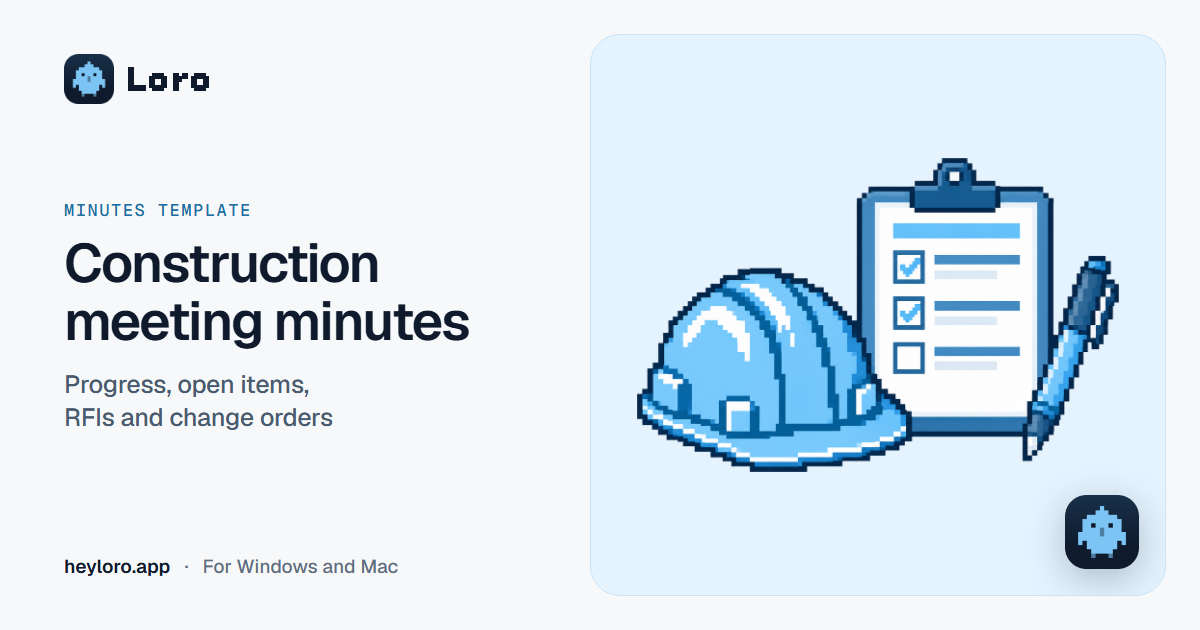
In short
Construction meeting minutes record who was there (by company and role), where the job stands against the schedule, which open items, RFIs and change orders are still open, and what each company has to do before the next meeting. Open items keep the same number from meeting to meeting until they're closed. Copy the template below into Word or Google Docs. If the meeting is on site, Loro helps you dictate the minutes afterwards: hold Ctrl + Win (fn on a Mac) and go item by item.
What goes in construction meeting minutes
The construction meeting, usually weekly, brings together the owner, the architect or engineer, the general contractor and the subcontractors. Many people call it an OAC meeting, for owner, architect and contractor. Each company answers for different things, so the minutes track everything by company and by number.
- Project details and meeting number. Meetings are counted: if this is number 14, the next one is 15.
- Attendees by company and role, and the companies that didn't come.
- Open items from earlier meetings, with their number. Item 12.4 is the fourth item from meeting 12, and it keeps that number in every set of minutes until it's closed.
- Progress against the schedule, by activity: planned and actual, as a percentage.
- RFIs (requests for information): the question, who answers it, when it's due, and the answer.
- Change orders: what's being asked for, what it costs, how many days it adds, and who approves it.
- Safety: what was seen on site and who fixes it.
- Quality and submittals: defects, test results, and samples or shop drawings waiting for approval.
- Deliveries, weather and permits: what's arriving, what rain delayed, and what's about to expire.
- Decisions.
- Action items by company, with dates.
- Next meeting and, if the contract asks for them, signatures.
Template to copy
CONSTRUCTION MEETING MINUTES · MEETING NO.

Project:
Date:                  Time:                 Place:
Led by:                                      Minutes by:

ATTENDEES (company, name and role)
- Owner:
- Architect or engineer:
- General contractor:
- Subcontractors:
Absent:                                      Minutes sent by:

1. OPEN ITEMS FROM EARLIER MEETINGS
- No.     Item:
          Responsible:                Status:
- No.     Item:
          Responsible:                Status:

2. PROGRESS AGAINST THE SCHEDULE (as of            )
  Activity                        Planned   Actual   Comment
-
-
- Overall

3. RFIs
- No.     Question:
          Answers:                    Due:
          Answer:

4. CHANGE ORDERS
- No.     Change:
          Cost:               Time:               Approves:
          Status:

5. SAFETY
- What was seen:
  Who fixes it:                       By:

6. QUALITY AND SUBMITTALS
-

7. DELIVERIES, WEATHER AND PERMITS
-

8. DECISIONS
-
-

9. ACTION ITEMS BY COMPANY
Company:
- What:                                           By:
Company:
- What:                                           By:

NEXT MEETING: No.          Date:                 Time:
Corrections to these minutes: by                   to:

SIGNATURES (if the contract asks for them)
____________________    ____________________    ____________________
Owner                   Architect               Contractor
A full example
CONSTRUCTION MEETING MINUTES · MEETING NO. 14

Project: Santa Rosa Clinic expansion (3-story medical office building)
Date: Thursday, October 8, 2026     Time: 8:00 am     Place: site trailer
Led by: Carmen Vidal (architect)             Minutes by: Luis Paredes (GC)

ATTENDEES
- Owner: Santa Rosa Clinic · Elena Campos, operations manager
- Architect: Vidal Architects · Carmen Vidal, project architect
- General contractor: Andes Builders · Luis Paredes, project manager;
  Rosa Quispe, safety manager
- Subcontractor: North Electric · Martín Ortega, foreman
Absent: South Glass (windows)                Minutes sent by: Luis Paredes

1. OPEN ITEMS FROM EARLIER MEETINGS
- 11.2    Item: emergency stair detail drawings
          Responsible: architect          Status: closed October 5
- 12.4    Item: move the 2nd-floor electrical panel
          Responsible: North Electric     Status: open, waiting on RFI 07
- 13.1    Item: flooring sample for the exam rooms
          Responsible: Andes Builders     Status: open, arrives October 14

2. PROGRESS AGAINST THE SCHEDULE (as of October 7)
  Activity                        Planned   Actual   Comment
- Structure                          80%      72%    3rd-floor slab to go
- Walls, 1st and 2nd floors          60%      65%    ahead
- Electrical rough-in                35%      30%    waiting on RFI 07
- Overall                            58%      56%    behind due to rain

3. RFIs
- 06      Question: door width in the exam rooms
          Answers: architect              Due: October 6
          Answer: 3 ft, as shown on sheet A-201. Closed.
- 07      Question: can the 2nd-floor panel move 5 ft to the left?
          Answers: architect              Due: October 9
          Answer: pending.

4. CHANGE ORDERS
- CO-03   Change: 4 more outlets in each exam room (owner's request)
          Cost: USD 2,300     Time: +3 days       Approves: owner
          Status: approved October 7
- CO-04   Change: longer entrance ramp with a gentler slope
          Cost: USD 1,800     Time: +4 days       Approves: owner
          Status: pending, owner decides Thursday the 15th

5. SAFETY
- What was seen: two workers without fall protection on the 3rd-floor
  scaffold on Tuesday the 6th. They were brought down, and on Wednesday
  everyone got a safety talk.
- What was seen: no guardrail on the north edge of the 2nd-floor slab.
  Who fixes it: Andes Builders        By: Friday the 9th

6. QUALITY AND SUBMITTALS
- Crack in the wall at grid line C, 1st floor. The architect checks it
  on Monday the 12th and says how to repair it.
- Paint sample for the exam rooms: approved.

7. DELIVERIES, WEATHER AND PERMITS
- Rebar for the 3rd-floor slab arrives Tuesday the 13th.
- It rained 3 days last week. Andes Builders asks for 3 more days; the
  architect answers by Thursday the 15th.
- The city permit for the dumpster on the street expires October 31.

8. DECISIONS
- RFI 07 gets an answer by Friday the 9th. If the panel can't move, the
  electrical work follows the current drawing.
- North Electric adds the CO-03 outlets to its work plan.
- Starting today, nobody goes up the scaffold without fall protection.
  The safety manager checks every morning.

9. ACTION ITEMS BY COMPANY
Santa Rosa Clinic
- What: decide on CO-04                           By: Thursday the 15th
Vidal Architects
- What: answer RFI 07                             By: Friday the 9th
- What: check the crack at grid line C            By: Monday the 12th
Andes Builders
- What: install the north guardrail               By: Friday the 9th
- What: renew the dumpster permit                 By: Friday the 23rd
North Electric
- What: work plan with the CO-03 outlets          By: Tuesday the 13th
South Glass (absent)
- What: confirm the window delivery date          By: Monday the 12th

NEXT MEETING: No. 15, Thursday, October 15, 8:00 am, site trailer
Corrections to these minutes: by Tuesday the 13th, by email to Luis Paredes.

SIGNATURES
____________________    ____________________
Carmen Vidal            Luis Paredes
Vidal Architects        Andes Builders
Tips for minutes that get used
- Never renumber an open item. 12.4 stays 12.4 in the minutes of meetings 13, 14 and 15 until it's closed. When you close it, write the date: "closed October 5".
- Progress in numbers, against the plan. "Going well" says nothing; "72% actual against 80% planned, after 3 days of rain" says how far behind you are and why.
- Every change order with its cost, its time and who approves it, plus its status: requested, approved or rejected. Then nobody has to argue at closeout about what was approved.
- Numbered photos for safety and quality: "photo 3: missing guardrail, north edge". Put them at the end of the minutes or in a shared folder.
- Send them within 24 hours and set a date for corrections before the next meeting, as in the example.
How to get them written with Loro
Many construction meetings happen in person, in the site trailer or walking the job. For those, Loro helps you write the minutes afterwards:
- Download Loro for free for Windows or Mac.
- Add the companies' and people's names to your dictionary so they come out right.
- After the meeting, open the minutes in Word or Google Docs, put the cursor in each section, hold Ctrl + Win (fn on a Mac) and say what happened. Loro types it with punctuation and without the "um"s and "uh"s.
For example, you say: "uh, the guardrail on the north edge of the second floor still isn't up, um, the contractor installs it before Friday". Loro types: "The guardrail on the north edge of the second floor still isn't up. The contractor installs it before Friday." More in how to dictate in Word.
If a meeting is a video call, like a design review with the architect or a check-in with the owner, click Take notes when Loro asks. It doesn't add a bot, so tell people at the start that you're taking notes. When you hang up you get the topics and each person's next steps, and in the note's question bar you can ask for "the minutes with open items, RFIs, change orders and action items by company".
Try Loro for free
Dictate in any app and get notes from your meetings, with no bot. For Windows and Mac, no card needed.
Frequently asked questions
What is an OAC meeting?
OAC stands for owner, architect and contractor. It's the regular meeting, often weekly, where the three of them review progress, RFIs, change orders and open items. The engineer and key subcontractors sometimes join.
Who takes the minutes at a construction meeting?
The contract may say, or it's agreed at the first meeting. It's often the architect or the general contractor's project manager. Whoever it is, everyone gets the minutes and can send corrections before the next meeting.
Why number the open items?
So each one can be followed until it's closed. If 12.4 shows up in the minutes of meetings 13, 14 and 15, everyone knows it's the same issue and how long it's been open. If every set of minutes starts from zero, old issues get lost.
What is an RFI?
A request for information: a written question the contractor sends when the drawings or specs leave something out or contradict each other. In the minutes, each RFI keeps its number, who answers it and its due date until it's answered.
How are meeting minutes different from the daily log?
Minutes summarize a meeting. The daily log, or daily report, records what happened on site each day: crews, weather, deliveries and inspections. Your contract may say how each one has to be kept.
Is there a construction meeting minutes template in Excel?
Copy the template with the "Copy" button and paste it into Word or Google Docs. If you'd rather track open items in Excel or Google Sheets, use one row per item with its number, who's responsible and its status, so you can filter the ones still open.
Keep reading
 Meeting minutes templates
Project meeting minutes
What to put in project status meeting minutes (where each milestone stands, risks and issues, changes and who approved them, decisions and action items), a template to copy, and a full example.
Meeting minutes templates
Project meeting minutes
What to put in project status meeting minutes (where each milestone stands, risks and issues, changes and who approved them, decisions and action items), a template to copy, and a full example.
 Meeting minutes templates
Meeting minutes template
What meeting minutes are, what they should include (attendees, topics, decisions and owners), a template ready to copy into Word or Google Docs, a full example, and how to let Loro write them when you hang up.
Meeting minutes templates
Meeting minutes template
What meeting minutes are, what they should include (attendees, topics, decisions and owners), a template ready to copy into Word or Google Docs, a full example, and how to let Loro write them when you hang up.
 Voice dictation
Dictate in Word
Three ways to dictate in Word: Microsoft 365's Dictate button, Windows or Mac dictation, and Loro, which types clean text in Word and in any other app. Step by step, and which one is worth it.
Voice dictation
Dictate in Word
Three ways to dictate in Word: Microsoft 365's Dictate button, Windows or Mac dictation, and Loro, which types clean text in Word and in any other app. Step by step, and which one is worth it.